Efficiently managing your workload is crucial and now more attainable than ever. An effective personal task management software can streamline the productivity of a student balancing coursework, a professional managing competing deadlines, or a freelancer handling multiple clients.
In 2026, task management solutions will offer capabilities significantly exceeding those of basic to-do lists. The top platforms at present combine artificial intelligence, workflow automation, smart reminders, and real-time collaboration all within clean, user-friendly interfaces.
Here are the best personal task management software choices this year, with explanations of their value and advice on selecting the ideal one.
What is Personal Task Management Software?
Through the use of the digital tool Personal Task Management Software, you can plan, organise, prioritise, and monitor your tasks in one centralised place. It substitutes scattered sticky notes, overflowing inboxes, and mental checklists with a structured system that keeps your work and personal life managed.
Via correct application, you are enabled to
- Create and handle task lists with clear priorities
- Set deadlines and receive smart reminders
- Track progress across projects
- Collaborate with teammates or share responsibilities
- Automate repetitive tasks to save time
Who Utilises Task Management Software?
Apart from corporate teams, task management software can be used by any individual. Below mentioned can benefit most from it:
Students
Task management apps can be utilised by students in organising assignments, exam schedules, and group projects. When all information is kept in one place, the stress of missing deadlines is lessened, and a consistent study routine is established.
Working Professionals
Such tools are used by professionals to manage daily tasks, track meeting outcomes, and meet project deadlines. Prioritising tasks and monitoring progress can alleviate work stress and enhance productivity.
Freelancers
Sometimes freelancers handle multiple clients simultaneously. Task management software allows them to organise deliverables, establish client deadlines, and prevent overlooked tasks.
Entrepreneurs and Small Business Owners
Such tools are used by business owners to coordinate workflows, delegate tasks, and track team progress. Entrepreneurs can concentrate on expansion by utilising a dependable task management system, avoiding the entanglement of daily tasks.
Key Features of Task Management Software
With numerous options, concentrate on functionalities that will authentically streamline your daily tasks. The most important abilities to examine are as follows.
AI-Powered Task Assistance
You can prioritise tasks, suggest deadlines, and automate repetitive steps with the support of modern apps that use AI. Through this, you can save several hours each week and keep yourself focused on high-value work.
Cloud Synchronization
You can access your tasks through all your devices, phones, tablets, or desktops with automatic syncing that keeps everything current.
Smart Notifications and Reminders
The effective reminders alert you to approaching due dates and overdue tasks without any trouble. Choose the apps that allow you to customise notification frequency and timing.
Collaboration and Task Sharing
For a person working in a team, the capability to assign tasks, share project boards, and communicate within the app is crucial to keep everyone aligned.
Calendar Integration
You can get a complete view of your schedule by connecting your tasks with a calendar, making it easier to balance due dates alongside meetings and other commitments.
Progress Tracking and Reporting
Real-time dashboards allow you to track project details at a glance. Early detection of delays indicates adjusting plans before small issues become bigger problems.
Workflow Automation
Automation streamlines routine tasks, such as moving items between stages, sending notifications at key milestones, and creating recurring tasks. This allows you to focus on the work that truly requires your attention.
Data Security
With the rise of digital risks, it’s important to choose applications that provide encryption, secure cloud storage, and compliance with recognised privacy standards.
Top 10 Personal Task Management Software in 2026
Find out the top 10 personal task management software in 2026, including EazeMax, Notion, Todoist, Trello, and more. These tools help improve productivity, organise tasks, track deadlines and reminders and ease workflow management.
1. EazeMax Software
Best for: All-in-one task and workflow management.
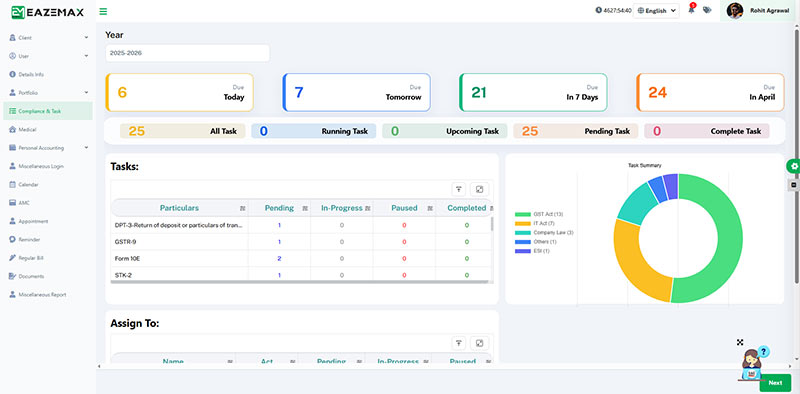
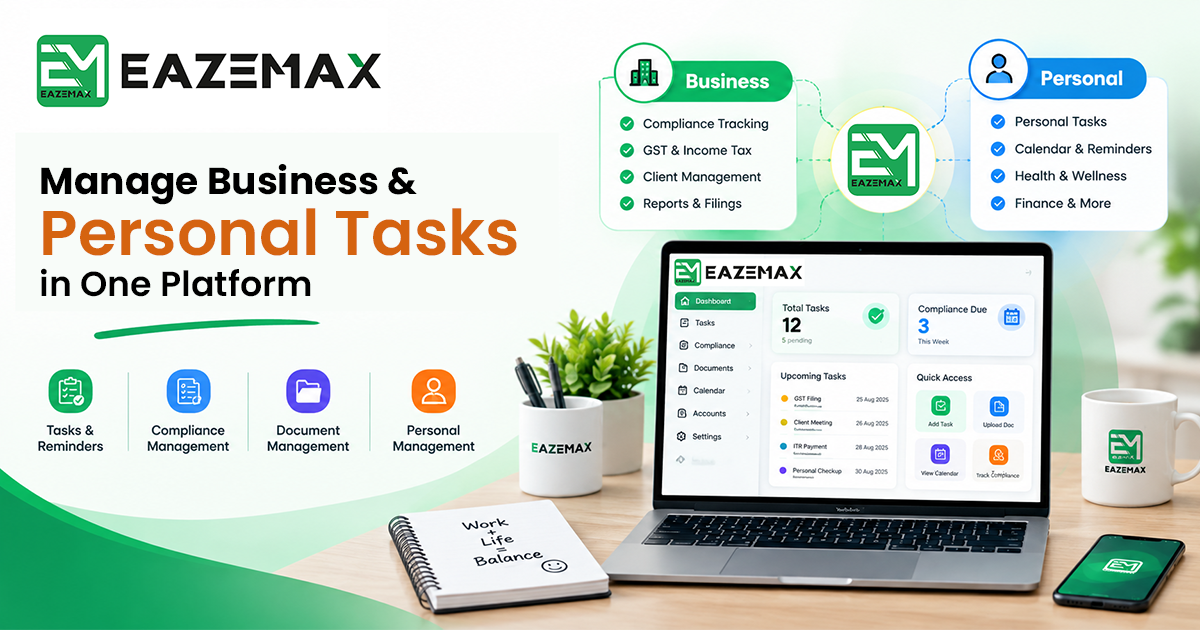
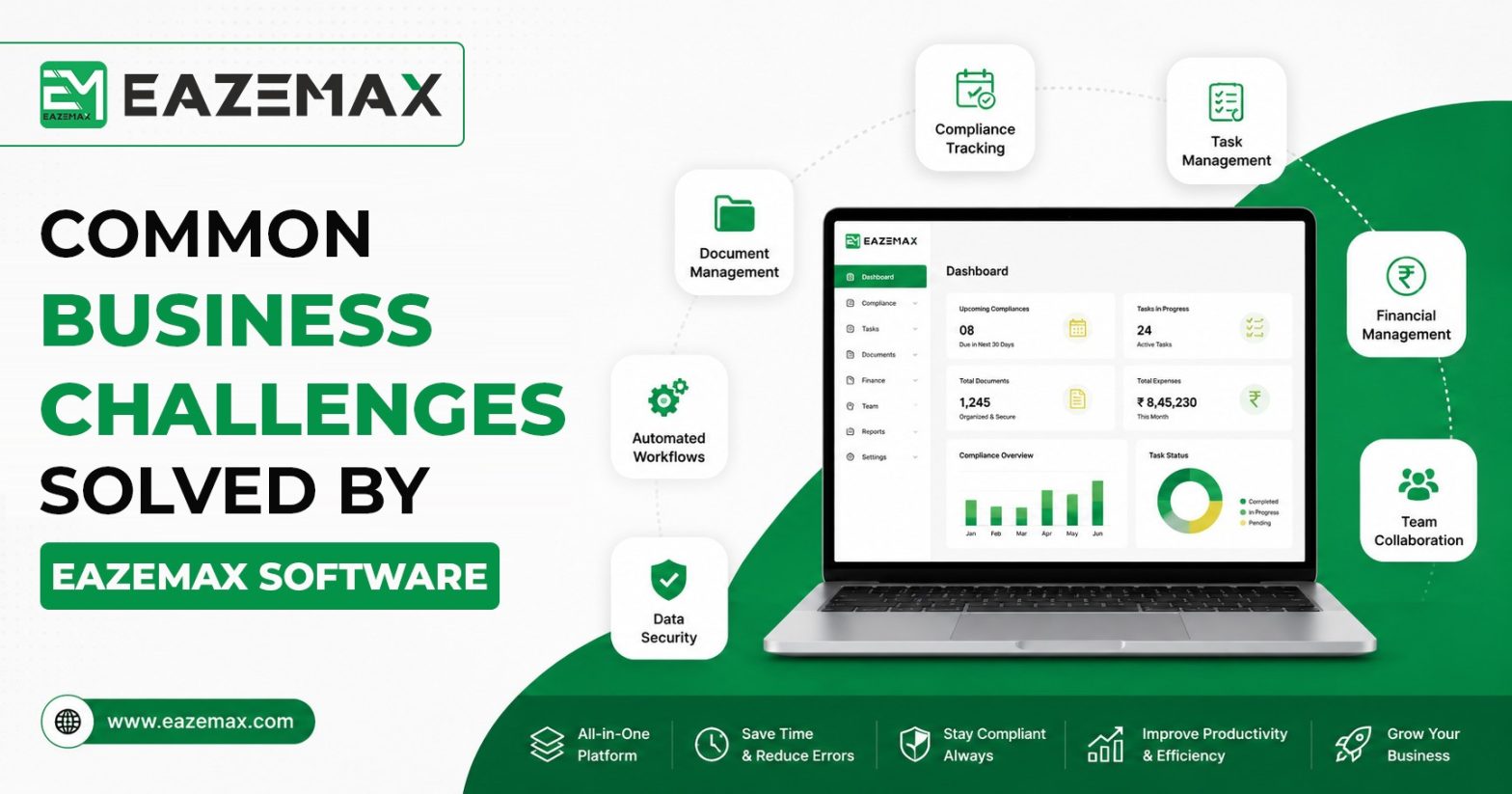
EazeMax is an AI-powered task management software developed to facilitate planning and enhance daily productivity. It integrates smart task suggestions, workflow automation, cloud synchronisation, and intuitive dashboards into one comprehensive tool. Its beginner-friendly design makes it accessible from day one, while its advanced features support intricate workflows as your needs evolve. EazeMax prioritises data security and is suited for individuals, students, and small businesses seeking an affordable yet effective solution.
| Pros | Cons |
|---|---|
Clean, intuitive dashboard that is simple to navigate |
Limited integrations with international third-party platforms |
Workflow automation lessens repetitive manual tasks |
|
Affordable costing for individuals and small teams |
|
Effective focus on data privacy and security |
2. Notion
Best for: Flexible, all-in-one workspace combining notes and tasks.
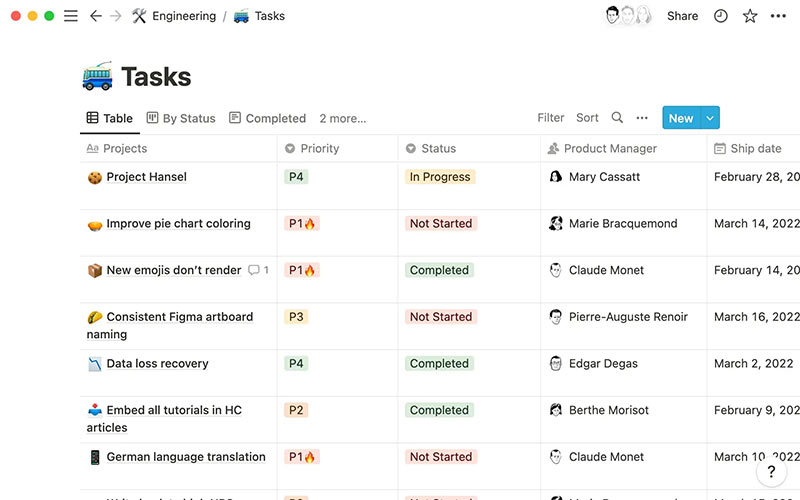
Notion delivers various uses that blend note-taking, databases, and task management into one platform. Also, users can create to-do lists, Kanban boards, project trackers, and content calendars from scratch or using ready-made templates. It functions effectively for students, freelancers, and businesses who desire flexibility in how they organise their work. It features real-time collaboration, document sharing, and cross-device cloud, but its depth can feel overwhelming for users who wish for a clear task list.
| Pros | Cons |
|---|---|
Exceptionally customizable workspace |
Steeper learning curve for new users |
Combines notes, databases, and tasks in a single app |
Can feel complex for those with simple task management needs |
Various templates for quick setup |
Performance may slow with very large workspaces |
Appropriate for both personal and professional use |
3. Todoist
Best for: Clean, focused personal task management.
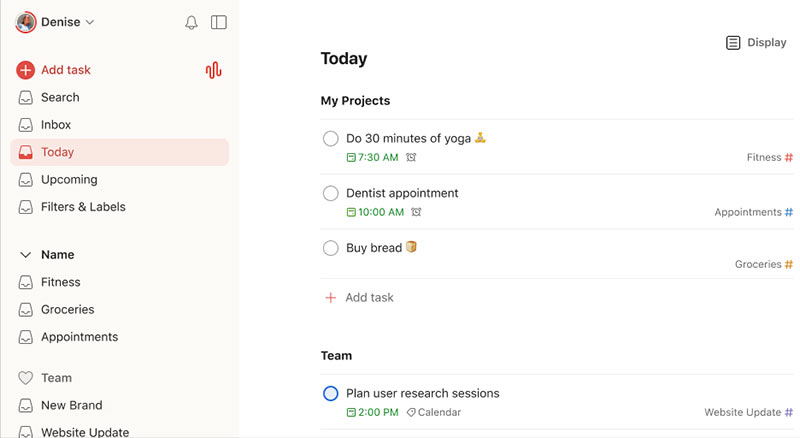
Todoist strikes an accurate balance between simplicity and functionality. Its lesser interference allows you to develop tasks, assign priorities, set recurring deadlines, and track progress without distractions. Integrating with popular calendars, email platforms, and productivity tools permits it to seamlessly fit into most existing workflows. Additionally, gamification features like Karma points provide a motivational element for users who respond positively to progress tracking.
Todoist is an excellent choice for individuals seeking a reliable, distraction-free task manager across desktop, mobile, and web platforms.
| Pros | Cons |
|---|---|
Clean, minimal interface that reduces friction |
The free plan has limited features |
Reliable reminders and recurring task support |
Not well-suited for managing complex, multi-stage projects |
Smooth performance across all platforms and devices |
Customization options are relatively basic |
Simple to learn with no setup required |
4. Trello
Best for: Visual task tracking with Kanban boards.
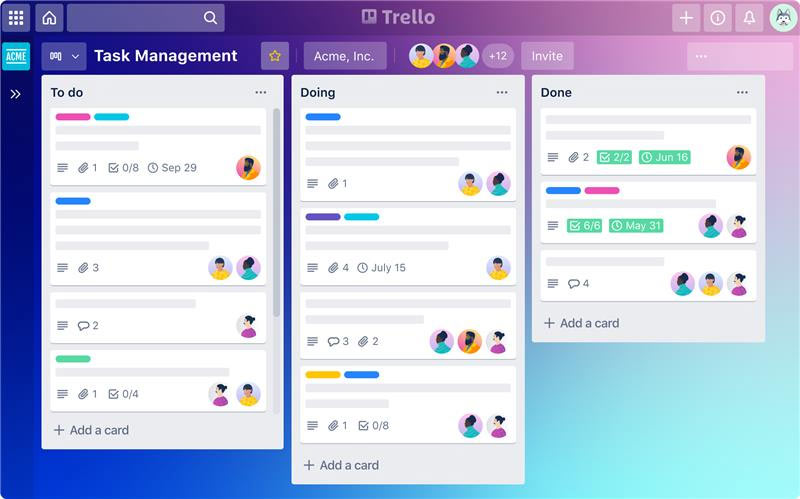
Trello utilises a visual Kanban board system where tasks are illustrated as movable cards organised across columns, such as To Do, In Progress, and Done. Its drag-and-drop interface makes it intuitive for new users, while Power-Ups add functionality along with automation, calendar views, and third-party integrations. Trello is appropriate for freelancers, small teams, and anyone who desires a visual overview of their workflow at a glance.
| Pros | Cons |
|---|---|
Visual Kanban layout furnishes an instant project overview |
Limited functionality without paid Power-Ups |
The simple drag-and-drop interface is simple to understand |
Can become cluttered when managing many tasks |
Flexible enough for personal and team projects |
Not effective for detailed or intricate project management |
5. Asana
Best for: Team collaboration and structured project management.
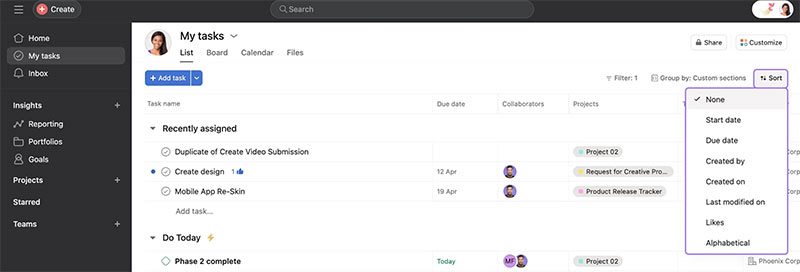
It is a complete task and project management platform that supports individuals and teams handling various projects at once. It delivers list view, timeline, calendar integration, and automated workflows alongside stronger collaboration features, including file sharing, comments, and milestone tracking. Asana’s versatility makes it suitable for various users, though those with simpler needs may find it overly complex.
| Pros | Cons |
|---|---|
Strong team collaboration and project tracking tools |
Can feel intricate for individual or casual use |
Multiple task views to suit different working styles |
Premium plans are on the expensive side |
Workflow automation available on most plans |
New users may need time to learn the interface |
6. ClickUp
Best for: Power users who need an all-in-one productivity platform.
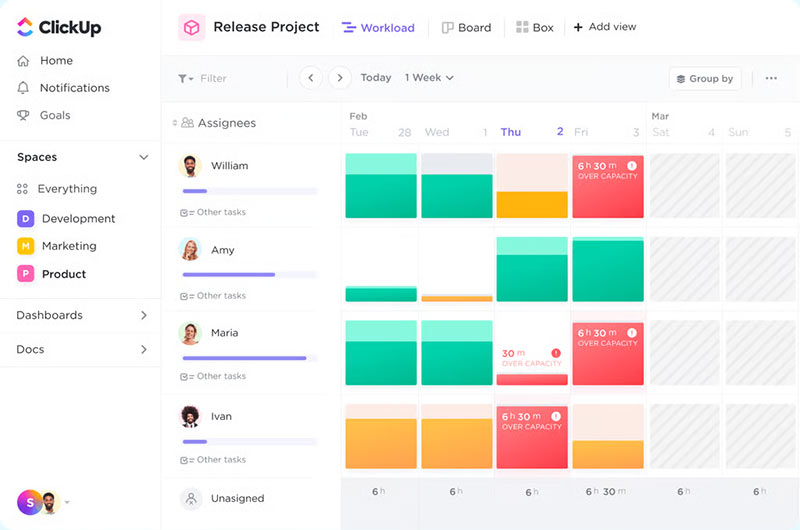
ClickUp consolidates tasks, documents, goals, team chat, and time tracking into a single workspace. Users are authorised to switch between the list, board, and gantt chart views as per their work preference. Its automation engine manages routine actions while detailed reporting dashboards furnish information on personal and team performance. The use of Clickup is from solo use to large enterprise teams.
| Pros | Cons |
|---|---|
Highly customizable with multiple task views and layouts |
Steep learning curve due to the sheer number of features |
Built-in time tracking and reporting |
The interface can feel dense for new users |
Scales from individual use to large teams |
Occasional performance slowdowns with heavy usage |
Robust automation abilities
|
7. Microsoft To Do
Best for: Microsoft 365 users looking for simple daily task management.
Microsoft To Do is a lightweight task management app that integrates into the Microsoft 365 ecosystem. Users are able to create task lists, set due dates, add reminders, and build recurring tasks in a clean, simple interface. The feature “My Day” motivates focused daily planning, whereas deep integration with Outlook and other Microsoft apps makes it simple to connect emails and calendar events directly to tasks. For anyone working within the Microsoft environment, this choice is appropriate.
| Pros | Cons |
|---|---|
Free to use with a Microsoft account |
Limited advanced features for project management |
Easier integration with Outlook and Microsoft 365 |
Collaboration options are relatively basic |
Effective for straightforward daily planning |
Less suitable for users outside the Microsoft ecosystem |
Effective for straightforward daily planning |
8. Google Tasks
Best for: Google Workspace users who want a simple, no-frills task list.
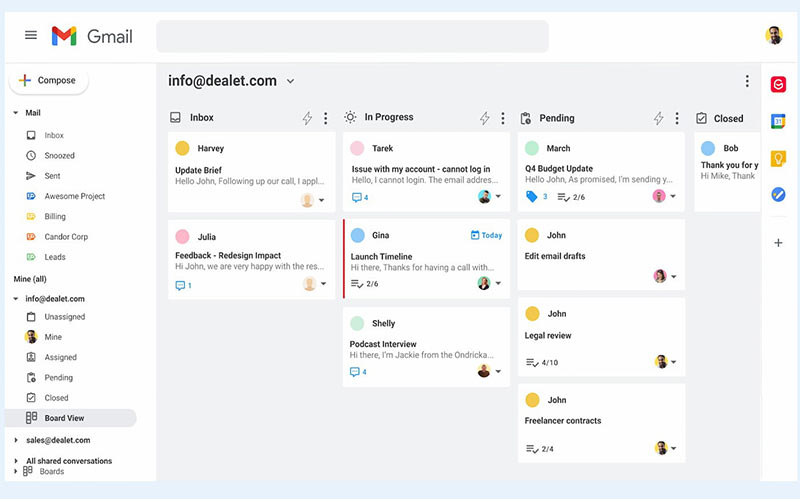
Google Tasks is a free task management tool built into Gmail and Google Calendar. It allows you to create tasks, add subtasks, set deadlines, and track completion in a straightforward interface. It has the feature of native integration with the Google ecosystem, where you can link emails to tasks and see your to-dos alongside calendar events without switching apps. People who desire a simple, reliable companion to their existing Google Workspace tools can use Google Tasks.
| Pros | Cons |
|---|---|
Completely free with any Google account
|
Very basic functionality with no advanced features |
Native integration with Gmail and Google Calendar |
No collaboration or team sharing options |
Lightweight, fast, and easy to use |
Limited customization and organizational tools |
9. Monday.com
Best for: Teams managing complex projects with visual dashboards.
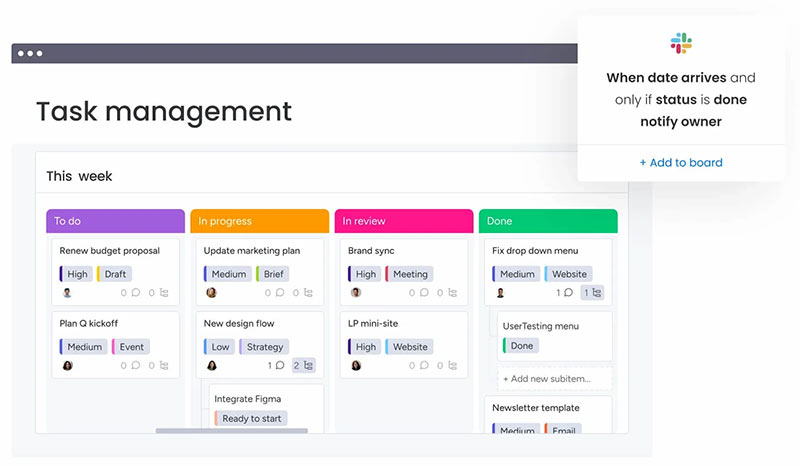
Monday.com is a visual work operating system made to support teams plan, track, and execute projects. Customizable boards, Gantt charts, timeline views, and automation features furnish project managers with clarity on where work stands at any moment. It includes various external tools along with email platforms, file storage, and communication apps. Monday.com is effective for businesses and project-focused teams and not for individual users seeking personal task management.
| Pros | Cons |
|---|---|
Effective visual dashboards with detailed reporting |
Pricing plans can be costly for small teams |
Robust automation and customizable workflows |
More than most individuals need for personal task management |
Excellent for managing large, multi-team projects |
Some learning investment is required |
10. Evernote Tasks
Best for: Users who want to combine note-taking and task management in one place.
Evernote Tasks enhances Evernote’s strong note-taking features by incorporating integrated task management. Users can create notes, attach files, set tasks with deadlines, and prioritise their work all within a single workspace. This makes Evernote Tasks particularly beneficial for content creators, researchers, and anyone who needs to keep their ideas and action items linked together. Additionally, it offers cross-device synchronisation and team collaboration options, making it a capable productivity tool. However, for complex workflows, dedicated project management software may provide more comprehensive features.
| Pros | Cons |
|---|---|
Combines research, notes, and tasks in one workspace |
Premium plans are relatively expensive |
Strong cross-device synchronization |
Task-specific features are not as advanced as dedicated apps |
Useful for content planning and knowledge management |
Not suitable for complex project tracking |
Advantages of Using Task Management Software
The work of an effective task management app is beyond just keeping a list. These tools provide real, measurable value through:
Improved Productivity
By precisely organising and prioritising the tasks, you spend less time deciding what to work on and spend more time actually doing the same.
Better Time Management
Deadlines, reminders, and scheduled tasks ensure that your time is consumed purposefully, reducing last-minute rushes and missed commitments.
Reduced Mental Load
Using a reliable app to manage your task list can alleviate mental stress. When you know that everything is recorded and organised, it contributes to a sense of calm and control.
Organized Workflow
Having a single source of truth for all your tasks, projects, and notes eliminates the chaos of scattered reminders and disorganised inboxes.
Increased Accountability
Progress tracking ensures you stay accountable for what you’ve completed and what still requires your attention, helping you maintain consistent follow-through.
How to Choose the Right Task Management Software
With various options, the correct choice will depend upon your needs. Learn the factors mentioned below:
Budget:- For basic needs, free plans are effective. If you require automation, AI features, or team collaboration, a paid plan varying from $5 to $15 per user per month will be worth the investment.
Ease of Use:- You must choose a tool that you will actually use constantly. A clean, intuitive interface lessens friction and makes it easier to create a habit of checking and updating your task list daily.
Personal vs Team Use:- Individuals have different needs from teams. Consider whether you require shared boards, task delegation, and collaboration tools, or whether a focused personal task list is adequate.
Features That Match Your Workflow:- You should skip paying for unused features. Find out the two or three capabilities that are important to you, whether that is recurring tasks, calendar sync, or project timelines, and prioritize those.
Scalability:- Choose a tool that can expand your growth. As your projects grow in complexity or you begin collaborating with a team, it’s essential to choose a platform that can scale without necessitating a complete restart.
Common Mistakes to Avoid:- Even the best tools won’t be effective if you don’t use them correctly. Here are some common pitfalls and how to avoid them:
Using Too Many Apps at Once:- Using multiple tools for your tasks can create confusion instead of clarity. Choose one main platform and stick with it.
Overcomplicating Your Task List:- Having more detail isn’t always beneficial. Keep tasks clear, concise, and actionable. If a task is difficult, break it down into smaller steps.
Ignoring Reminders:- Reminders are effective if you act on them. Set realistic notifications and consider them as sincere prompts to take action.
Failing to Update Tasks Regularly:- A task list is helpful if it is accurate. You should make a habit of reviewing and updating your tasks at the beginning or end of each day.
Setting Unrealistic Deadlines:- Setting overly aggressive timelines can result in burnout and frustration. Instead, establish deadlines that are ambitious yet achievable.
Future Trends in Task Management
Task management tools are evolving fast. Mentioned below are the reasons why the industry is heading in 2026 and beyond.
- AI-Driven Automation: Tools will manage task prioritisation, deadline setting, and workflow organisation automatically, with less input needed from the user.
- Voice-Enabled Task Entry: Adding and managing tasks via voice commands is becoming standard, making the procedure quicker and natural.
- Smart Scheduling: AI will examine your work patterns and recommend the optimal times to handle specific tasks, balancing energy levels with deadline urgency.
- Wearable Device Integration: With smartwatches and other wearable devices, task notifications and reminders will sync, keeping you informed without interrupting your operation.
Conclusion: Personal Task Management Software
The appropriate personal task management software revises the method of your operations, bringing clarity to your priorities, lessening the stress of missed deadlines, and helping you make consistent progress on significant things.
In 2026, there are more valuable options compared to before. Todoist or Google Tasks are robust starting points for those who desire something simple and reliable. Trello delivers are perfect for you if you choose a visual approach. For team collaboration and project depth, Asana, ClickUp, or Monday.com offer more value. Notion or Evernote Tasks are appropriate for an all-in-one personal workspace.
For users looking for an accessible, affordable, and effective solution, especially those who desire a balance between simplicity and functionality without a steep learning curve, EazeMax Software is definitely worth considering.
A crucial step is to choose a tool, commit to using it consistently, and adjust as your needs change. Effective compliance & task management software is more about developing the habit of being intentional with your time and priorities than it is about the software itself.
FAQs about Task Management Software
Q.1 What is personal task management software?
Personal task management software is a digital tool that supports individuals to plan, organise, prioritise, and track their tasks and projects in one place. It is made to enhance productivity and lessen the mental exercise of tracking everything manually.
Q.2 What is the use of task management software in 2026?
The work of the current tools is more than just to-do lists. Modern applications that offer AI assistance, automation, real-time collaboration, and smart reminders can help you save time, reduce stress, and achieve more, whether you are managing personal goals or professional projects.
Q.3 Are these tools effective for both personal and professional use?
Most leading task management apps are effective for both personal and professional use. Many users find it convenient to manage personal goals, work projects, and side projects all within the same tool.
Q.4 What features are crucial in a task management app?
The most critical features rely on your specific needs, but key capabilities typically include task prioritization, deadline reminders, calendar integration, progress tracking, cloud synchronization, and increasingly, AI-powered suggestions and automation.
Q.5 Are personal task management apps free?
The majority platform proposes a free tier with core functionality. Premium plans, which vary from $5 to $15 per user per month, include advanced features like automation, integrations, AI tools, and expanded collaboration options.
Q.6 Can I use these apps on both mobile and desktop?
Yes, all leading task management platforms propose apps for Android, iOS, Windows, Mac, and browser-based access, ensuring your tasks are available on any device.
Q.7 How do these apps enhance productivity?
Such tools can remove mental clutter and support you to function consistently for your goals by centralizing your tasks, automating reminders, clarifying priorities, and tracking progress.
Disclaimer: The information provided here is sourced from reliable and verified resources and published after careful review. However, any inaccuracies or changes in details should be regarded as human error. Our blog aims to deliver updated content, and we welcome any queries related to the blog’s subject matter. Please note that we do not offer consultancy services and, therefore, cannot respond to such requests. Our responses are based on practical insights, and we recommend cross-verifying information with professional authorities for complete accuracy.