What is CA Office Management Software?
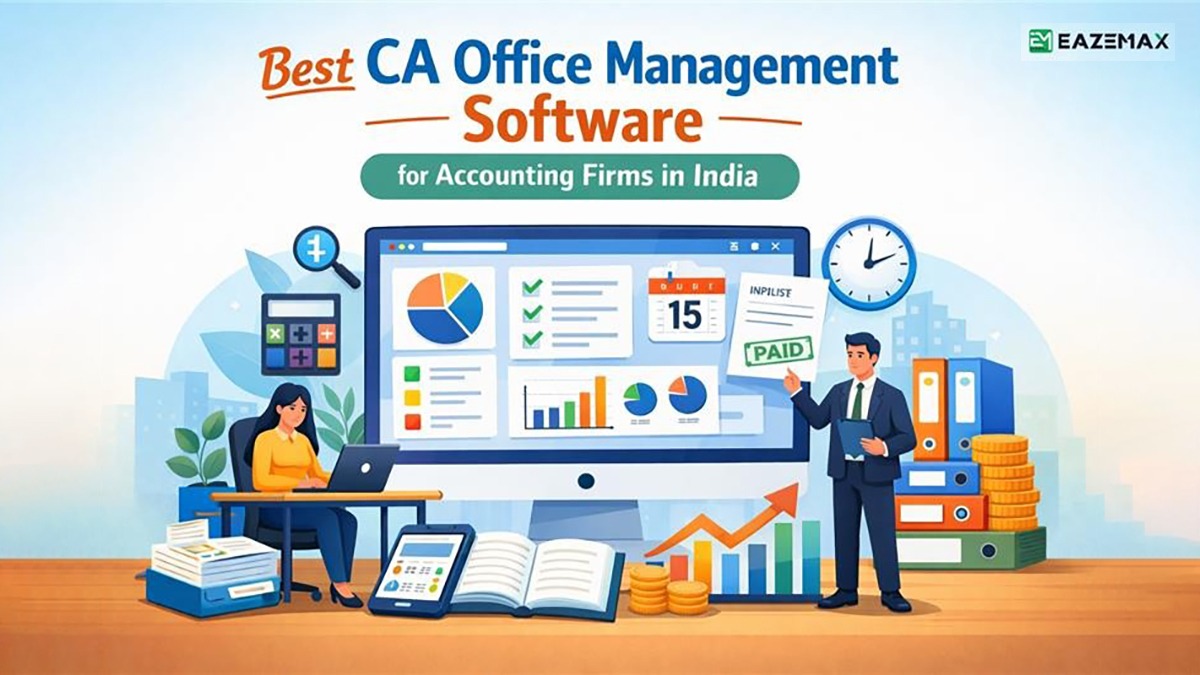
CA office management software is specialised software designed to handle the day-to-day tasks of chartered accountants and accounting firms. It has been created to bring efficiency across different fronts.
The same software fulfils all the multifaceted needs of accounting professionals by overseeing client relationships and document organisation, authorising users to create invoices, tracking time, and more.
Its elegant design and specialised features support accountants and Chartered accountants to optimise their workflows, allowing them to furnish effective service and succeed in their practices.
What Is The Method To Use The CA Office Management Software?
The CA office management software has been created to arrange all the distinct aspects of a chartered accountant’s practice or use in a structured way:
Set Up
Initially, the basic information, such as name, address, and contact information, must be entered. Fill the system with all clients’ details, names, contact information, and any specific preferences or requirements. Customise settings to the firm’s workflow and preferences for seamless operation from the start.
Client Management
To handle client relationships, use the software. It consists of adding clients to the system, keeping records of their information, and handling communication channels to make interaction easier. Tasks can be assigned to particular clients, tracked for completion, and updated as necessary, enhancing organisation and client satisfaction.
Document Management
All important documents need to be maintained within the software, which permits easy uploading, organising, and retrieval of the important documents. These documents consist of financial statements, tax returns, contracts, etc. It confirms that the risks of losing or missing them are reduced, not to mention the ease with which access is gained by storing them safely in the system.
Invoicing
The billing process will be facilitated by generating and sending invoices from the software. The invoice is customised with information on the services rendered, fees, and terms of payment. Payment status can be followed up on the system to ensure timely receipt of funds and accurate financial records that are acknowledged for CA practice management software.
Track The Time
On software execution, improve productivity and accountability, which can track time. Record correctly billable hours, assignments to team members, and track real-time progress. Office automation via CA shall be optimised as per the profitability of firms via the efficient allocation of resources.
Reporting
Utilise the software reporting abilities to generate financial reports and analytics. Track firm performance, key metrics, and areas for improvement or growth. Informed decisions with data-driven insights could be made by the firms, leading to success in practice.
After following these measures and applying every facility offered by the CA office management software, you, as a CA, shall ease their operations and gain improved client satisfaction, apart from reaching for more efficiency and profitability in their practice.
CA Office Management Software Features
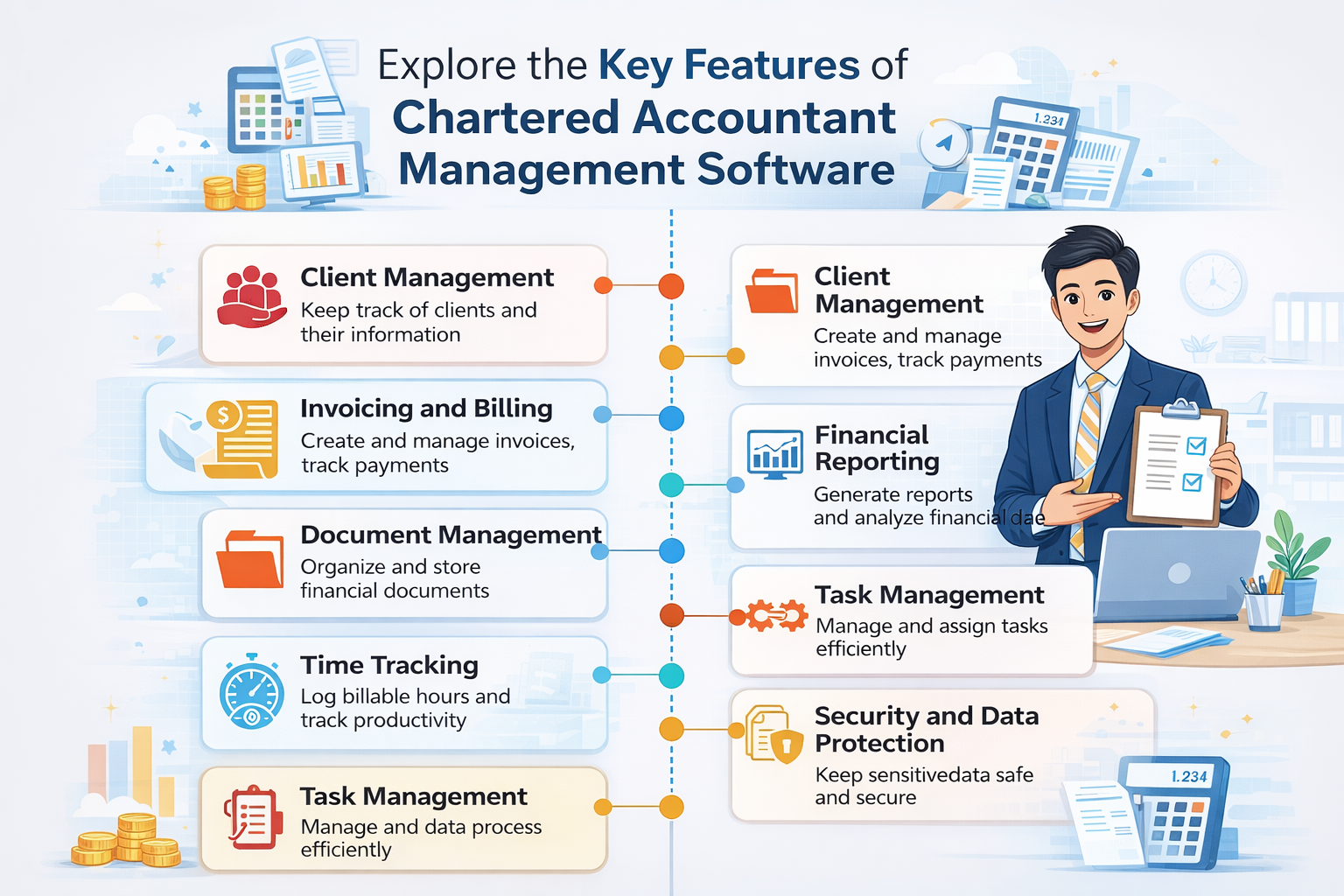
Management software for CAs proposes a complete suite of features tailored to fulfil the requirements of accounting firms, particularly with business accounting software. Business accounting software furnishes distinct features within management software that CAs tend to choose; usually, management software includes most of the features.
Client Management
The information of the client, along with the contact data, communication history, and specific preferences or needs, is kept and organised. This allows the CAs to propose personalised service and keep good client relationships.
Document Management
From a central point, all document storage, retrieval, and organisation can be accomplished. Firms can upload, manage, and share documents such as financial statements, tax returns, contracts, and correspondence. It ensures advanced search and version control for easy access to documents when required in account bookkeeping.
Invoicing and Billing
Invoicing is streamlined by sending invoices from the software. The invoices can be customised as per the services offered, rates, and terms of payment. Invoices can be tracked, payments recorded, and billing reports generated for accurate tracking of financial transactions.
Time Tracking
Precise tracking of billable hours and activity pertinent to the project optimises resource usage and tracks the progress of the project. It authorises CAs to record and categorise time spent on distinct activities, thereby assuring precise billing to clients and improving productivity via cloud-based accounting software.
Financial Reporting
Make complete financial reports and statements for examining the firm’s performance, monitoring key metrics, and making decisions with data. Report templates can be tailored as per specific clients or statutory needs to ensure that compliance and clarity are maintained via CAs.
Task Management
Organise and prioritise tasks perfectly to handle workflows and due dates. The task management supports CAs to assign tasks, set deadlines, and track the status in real-time. Integrating with calendars and utilising notifications ensures the timely completion of tasks and enhances team collaboration.
Reminder & Notification
The software sends automated alerts for critical compliance deadlines such as ITR filings, GST returns, TDS due dates, and MCA submissions, ensuring no statutory obligation is ever missed. It also provides client-wise and task-wise reminders with escalation alerts to team members, keeping workflows organised and accountable across the entire practice.
Integration with Accounting Software
Easier integration with the top accounting software platforms to streamline the transfer of data, along with the automation of the workflow. The integration facility supports CAs to synchronise client data, financial data, and transaction records between management software and accounting systems to avoid duplication and remove errors.
Security and Data Protection
The feature ensures that sensitive client information is kept confidential and the integrity of the data is maintained. For CAs, the management software employs encryption, access controls, and audit trails to safeguard data from unauthorised access, breaches, or incidents of data loss.
Management software with such advanced features supports CAs to work effectively, with higher productivity and more precise and high-value servicing of clients; the software is responsive to the statutory needs and permits continuous maintenance of the highest standards of data security and confidentiality.
What CA Firms Will Get From Cloud-Based Practice Management Software?
For CA firms that utilise online accounting software, various benefits are provided to them via cloud-based practice management software.
Accessibility
The cloud-based practice management platform enables chartered accountants and their teams to access data, tools, and applications from any location with internet connectivity. Staff members can use various devices, including laptops, tablets, smartphones, and other portable gadgets. This flexibility enhances productivity and responsiveness in team-based collaboration.
Scalability
Highly scalable, this solution is especially beneficial for CA firms, as it allows for easy adjustments in usage when business requirements change. Firms can expand their clientele or enhance services, quickly deploying additional resources or features without the need for infrastructure investments or lengthy setup processes. Additionally, during periods of decreased demand or off-seasons, firms can reduce their scaled resources, ensuring proper utilisation and cost-effectiveness.
Collaboration
In cloud-based practice management software, real-time collaboration is one of the crucial benefits. All team members can work together on projects, share documents, and communicate in real time from any geographical location. These shared workspaces, commenting on documents, and instant messaging permit easy collaboration and teamwork, which enhances teamwork, improves communication, and promotes efficiency in the firm.
Security
Cloud-based practice management software outlines data safety and is aligned with the leading industry compliance norms. Sensitive encryption protocols, along with multi-factor authentication, update security continually to confirm that customer information and sensitive data shall not be utilised by unauthorised individuals to gain or cause a data infringement. Effective cloud providers utilise stringent certification of security levels and follow those provisions by following the best security practices.
Cost-Effectiveness
Cloud-based solutions are cheaper as they do not need an upfront investment in hardware and ongoing maintenance costs pertinent to older on-premises software deployments. CA firms can subscribe to practice management software in the cloud, pay-as-you-go, that is, only for the features and resources used. The pricing based on subscription lessens the upfront capital expenditures, improves budget predictability, and authorises better resource allocation, therefore ultimately enhancing profitability.
CA firms can optimise their operations, enhance client service, and maintain a competitive edge in the business environment using accessibility, scalability, collaboration, security, and cost-effectiveness proposed via cloud-based practice management software.
Choosing The Appropriate CA Office Management Software
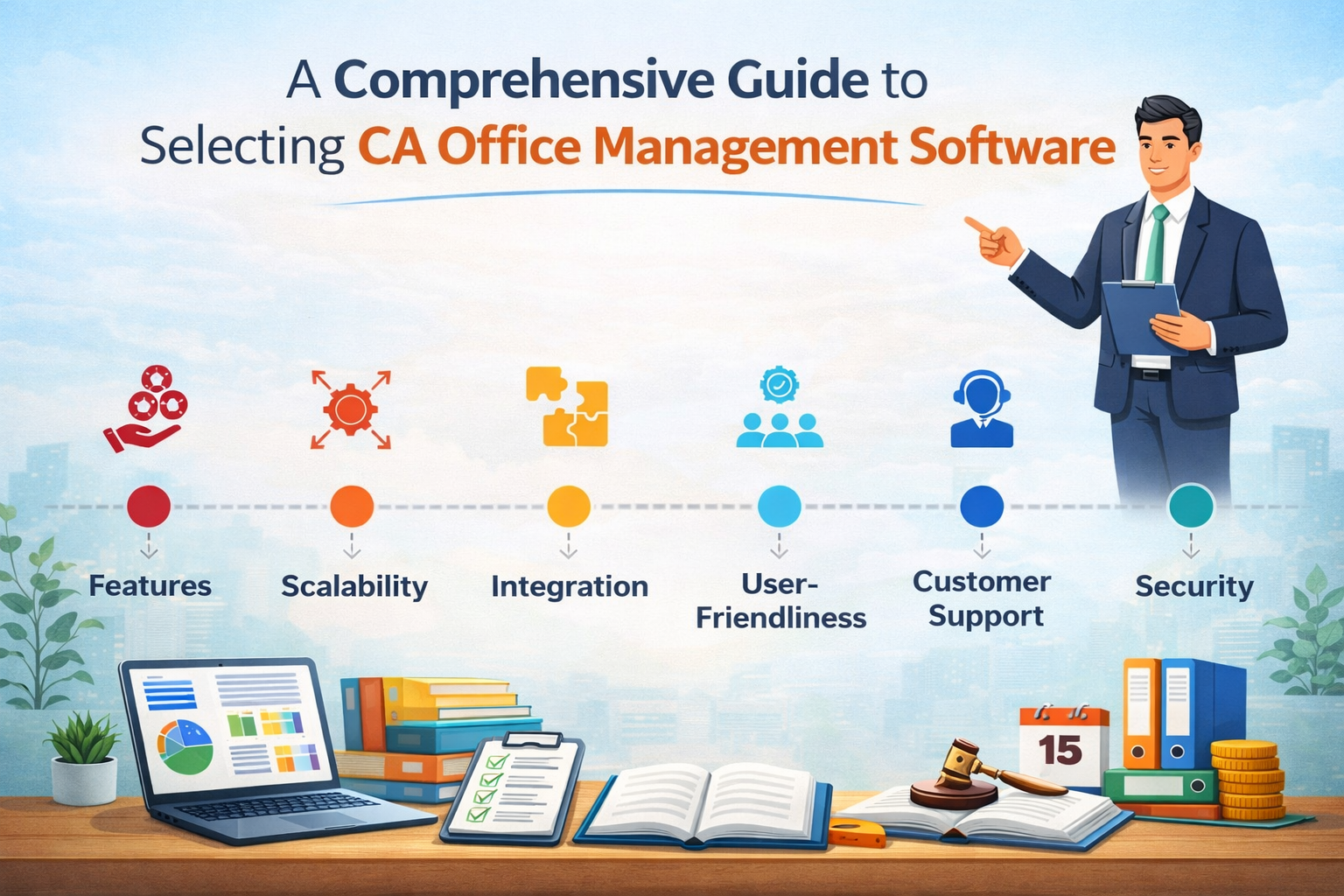
The following factors should be considered before choosing CA office management software.
Features
Initiate with the particular requirements and workflow of your firm. Evaluate the software’s features and functionalities to validate if they fulfil your requirements. See the important features like client management, document management, invoicing, time tracking, and reporting capabilities. Additionally, look for software that offers features to fulfil the requirements of CAs, such as compliance tools, tax preparation modules, or integration with regulatory databases.
Scalability
Choose software that helps you expand your firm and fulfil its changing requirements. Acknowledge the number of users, client volume, and expansion into new service areas or geographic locations. See the scalability features like flexible pricing plans, customizable workflows, and the capability to add or remove users and features as required without disruption to your procedures.
Integration
The integration with any current accounting software, other productivity tools, and third-party applications of your firm must be perfect. Compatibility with recognised accounting software platforms shall ensure easier data exchange and workflow automation. Also, check integration abilities with industry-related tools or regulatory databases to make compliance and reporting seamless.
User friendliness
It specifies that the chosen software is intuitive and user-friendly without the need for much training to get started. A well-designed interface shall assist users in becoming more productive, error-free, and widely accepted in the team. Features such as customizable dashboards, drag-and-drop functionality, and contextual help resources will enhance usability and improve user satisfaction.
Customer Support
When assessing software vendors, it’s important to assess the quality of their customer support and maintenance services. Choose a vendor known for excellent customer support, prompt technical assistance, and regular software updates, including patches. Additionally, check the availability of support channels, such as phone, email, live chat, or an online knowledge base, to ensure that any issues or concerns are addressed quickly.
Security
For any software solution, data protection and compliance with industry norms should be its priority. Software must feature access controls, robust encryption, and audit trails to have no chance of unauthorised access, breach, or loss of data concerning crucial client information. Validate the thing that vendors fulfil industry-specific needs, such as GDPR, HIPAA, or SOC 2, to reduce regulatory risk and protect your firm’s reputation.
On consideration of such factors and performing research and vendor analysis, you can choose the perfect CA office management software for your firm, improve productivity, and gain success in your practice.
What to Anticipate When Executing a CA Office Management Software
While implementing CA office management software, the following aspects must be anticipated.
Assessment
Evaluate your firm’s needs from workflow processes to client management requirements and team collaboration requirements. Determine the stakeholders involved in the implementation process of the firm and describe the objectives of the implementation project.
Selection
As per the above assessment criteria, compute and choose the most suitable software solution that is effective for your firm’s requirements. Factors like features, scalability, integration capabilities, user-friendliness, customer support, and security need to be considered.
Configuration
After choosing the software solution, the options, workflows, and user permissions will be configured as per the needs of the firm. Therefore, it configures the software in its branding terms and terminology that assist the work procedure preferred and used in the firm, including all the systems.
Training
A complete training session should be performed to make team members aware of the features, functionalities, and best practices of the software. Provide hands-on training sessions, online tutorials, and user guides that support users in becoming familiar with the software and help them get the benefits. Customise training sessions based on various user roles and proficiency levels, ensuring that everyone feels comfortable and confident using the software.
Testing
Software testing should be performed to determine issues or discrepancies, and these problems are corrected before final launch. Test the application’s functionality, workflow, and scenarios to ensure satisfactory performance and fulfilment of the firm’s requirements. Additionally, gather user feedback during testing and make necessary adjustments and refinements.
Deployment- Implement the rollout gradually across different departments or teams as the organisation prefers and is prepared for it, or choose to implement it organisation-wide all at once. Clearly communicate the implementation plan, timelines, and expected changes to team members to avoid significant disruptions and ensure a seamless transition to the new software.
Monitoring and Support
Track the software’s performance, user adoption, and feedback post-deployment. Manage the issues obtained from users and furnish assistance and maintenance as needed. Keep ahead of updates, patches, and new features from the vendor and implement them in your firm’s procedure to take advantage of the software.
With the time and effort spent on the implementation process, your firm can integrate CA office management software into its operations and therefore increase efficiency, enhance collaboration, and succeed in serving clients and handling workloads.
Closure: CA Office Management Software
Choosing the correct CA office management software can improve the efficiency, accuracy, and competitiveness of accounting firms. It authorises the Chartered accountants to use the technology, enhance their work, improve collaboration, and achieve success in the dynamic business landscape.